Introduction
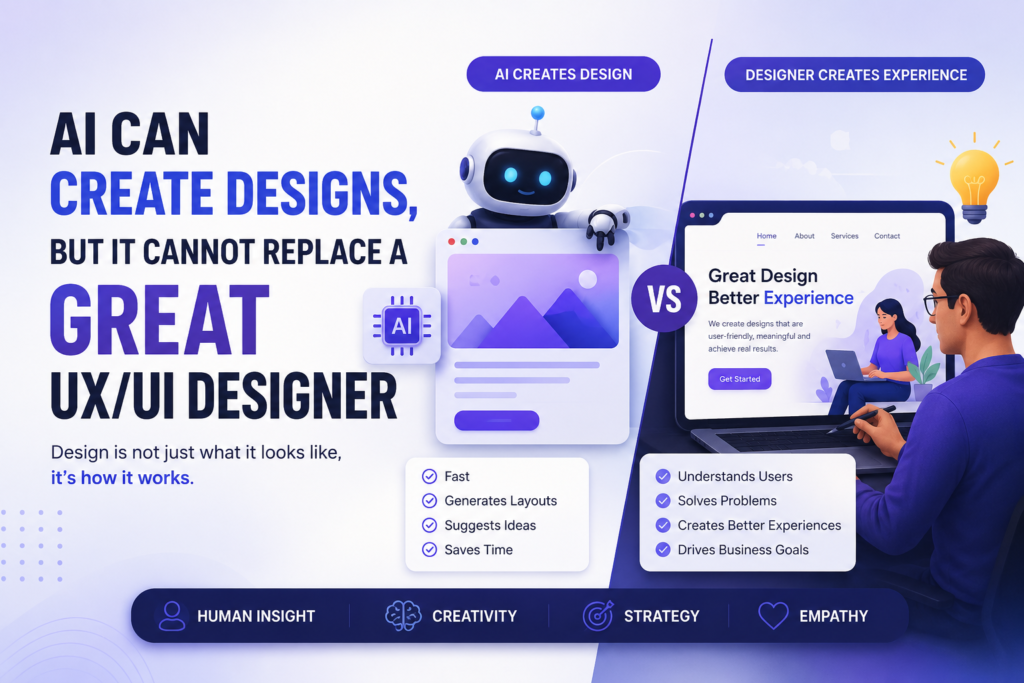
Artificial Intelligence (AI) is changing the way designers work. Today, AI tools can create website layouts, mobile app screens, wireframes, and even suggest colors and fonts in just a few seconds.
While AI makes the design process faster, it cannot replace the thinking and creativity of a professional UX/UI Designer.
In this article, we’ll explore why AI is a powerful design tool but why human designers are still essential for creating great user experiences.
1. AI Can Create Designs Quickly
AI tools can generate design ideas within seconds. They help designers save time and improve productivity.
What AI can do:
- Generate website and app layouts
- Create wireframes and mockups
- Suggest color palettes and typography
- Generate icons, images, and UI components
- Create placeholder content
- Speed up repetitive design tasks
AI is excellent for getting started with a design.
2. UX Design Is More Than Beautiful Screens
A good-looking design does not always provide a great user experience.
A UX/UI Designer understands how people think, behave, and interact with digital products. Every design decision is based on solving real user problems.
What a UX/UI Designer focuses on:
- Understanding user needs
- Creating simple user journeys
- Improving usability
- Making navigation easy
- Designing accessible interfaces
- Increasing customer satisfaction
This human understanding cannot be generated by AI alone.
3. AI Cannot Understand Human Emotions
People make decisions based on emotions, habits, and experiences.
AI can analyze data, but it cannot truly understand how users feel while using a website or mobile app.
Professional designers use research, interviews, testing, and feedback to improve products.
Human designers can:
- Build empathy with users
- Understand customer pain points
- Solve complex usability issues
- Create meaningful experiences
4. Every Business Needs a Different Design
No two businesses are the same.
An online store, a healthcare website, and a banking app all have different goals and different users.
A UX/UI Designer creates solutions based on:
- Business goals
- Target audience
- Brand identity
- Industry requirements
- Customer expectations
AI cannot fully understand these business decisions.
5. AI Is a Design Assistant, Not a Designer
The best designers use AI as a productivity tool.
Instead of replacing designers, AI helps them complete tasks faster and focus more on creativity and problem-solving.
Designers use AI to:
- Generate design ideas
- Create quick wireframes
- Speed up repetitive work
- Improve workflow
- Explore multiple design concepts
Human designers still make the final decisions.
What This Means for Future Designers
Learning AI tools is important, but learning UX/UI Design principles is even more valuable.
To become a successful designer, you should learn:
- User Research
- Wireframing
- Prototyping
- Design Thinking
- Usability Testing
- Accessibility
- Figma
- AI Design Tools
Combining AI skills with UX/UI knowledge will make you job-ready and future-ready.
Conclusion
AI is transforming the design industry by making design faster and more efficient.
However, creating a great user experience still requires human creativity, empathy, critical thinking, and problem-solving.
AI can generate designs. A UX/UI Designer creates experiences that people love to use.
Trending Posts


Stay ahead in tech
Get weekly industry insights, new course alerts, and career tips — directly from our expert faculty.